Hytale Dungeons, Temples and Portals
What the structure markers mean, how to find the nearest dungeon or temple, and why a likely-looking biome can have none.
Updated 22 October 2026 · 7 min read
What the structure markers mean
The structure layer marks places the game puts in the world: dungeons, temples, encounters, mage towers, cities, ruins and shipwrecks, plus your spawn and the temple portal. The spawn and portal are one per world. Everything else depends on the biome and the seed, so a world can have plenty of one type and none of another. Structures the game places in water or deep in jungles are included too.
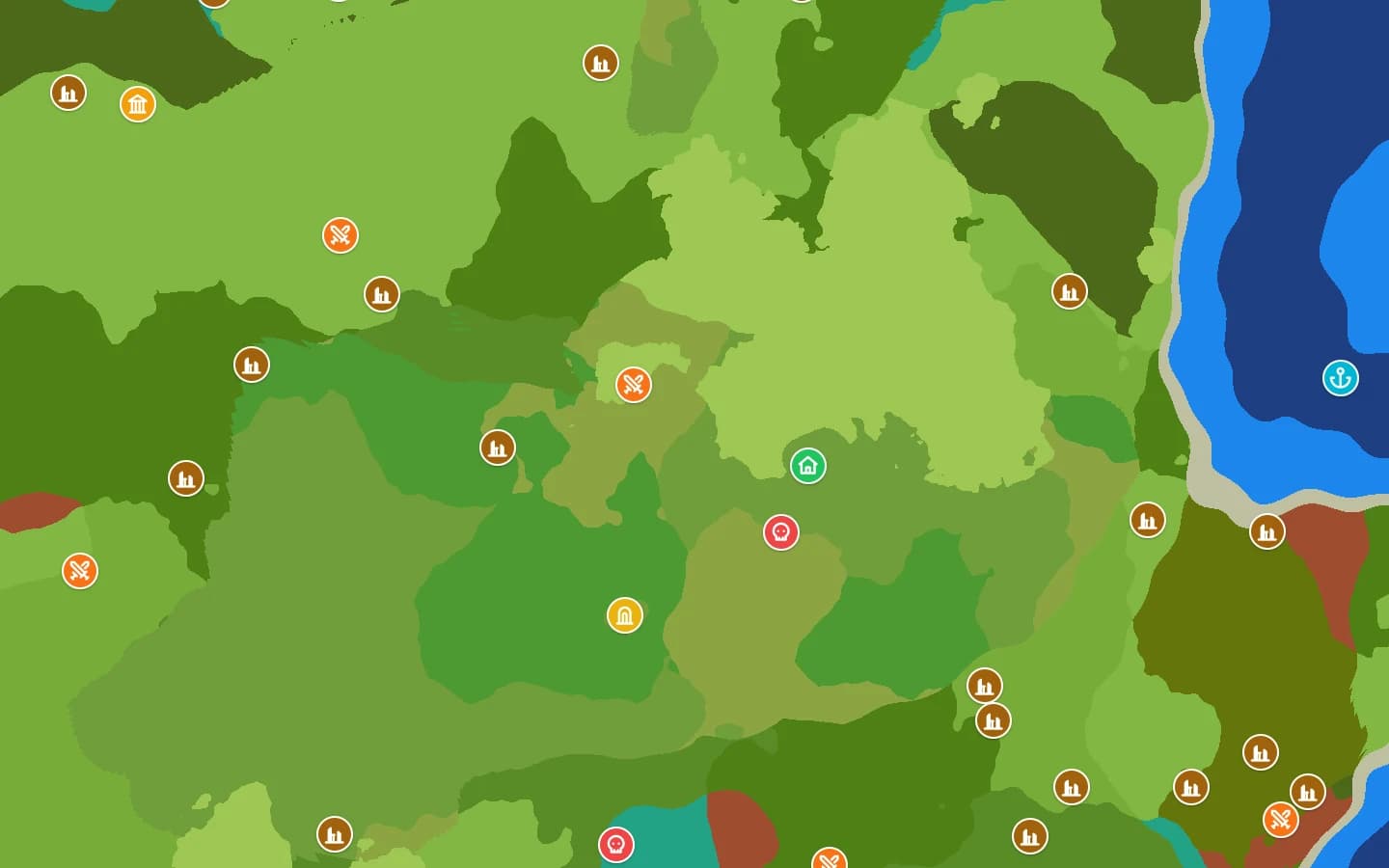
| Map label | What it is | How common |
|---|---|---|
| Spawn | The one world spawn point | One per world |
| Temple portal | The unique Zone 1 temple structure | One per world |
| Temple entrances | Entrances and outer pieces of temple sites | Scattered by biome |
| Challenge dungeons | Cursed crypts, goblin lairs, magic ruins, labyrinths and similar | Scattered by biome |
| Encounters | Open-world encounter sites and camps | Scattered by biome |
| Mage towers | Tall tower structures | Scattered by biome |
| Cities | Larger settlements and city pieces | Scattered by biome |
| Ruins & camps | Small ruins, camps and incidental sites | Scattered by biome |
| Shipwrecks | Wrecked ships, mostly near water | Scattered by biome |
Temple portal vs temple entrances
They are separate labels on purpose. The temple portal is the unique structure tied to the Zone 1 temple site. Temple entrances are the entrance pieces placed around temple sites in the world. Community guides use different names for the Zone 1 temple (the Forgotten Temple and the Temple of Gaia both appear), so go by the map label rather than assuming every “temple” result is the same thing.
The map does not draw a dungeon's interior. It gives you the surface location and the coordinates; the layout inside is the game's.
Find the nearest dungeon or temple
- Open the Hytale seed map with your seed and version.
- Press
/or click the finder. - Choose a category such as Challenge dungeons or Temple entrances. You can also type a structure name.
- Choose spawn if you want distances measured from where you start, not from the map centre.
- Click a result to jump to it. The marker shows coordinates you can copy.
- If nothing is close, use “Search further” before deciding the seed has no dungeon.
The finder groups nearby markers of the same type into one result. A city with dozens of buildings shows up once instead of a dozen times, so the list is easier to use.
Why a structure may not appear
- Placement rules. The game checks the biome and the terrain before it places a structure. A biome that looks perfect can still have no valid spot.
- Version. A structure added after your world's version will not be in that world.
- Depth. The map gives x and z. A dungeon entrance can be above or below the surface, so the in-game terrain is the final word on y.
- Search radius. The finder starts near you and works outward. Search further before you conclude the seed has none.
Using the coordinates
Click a marker to open its card. You can copy the coordinates or a ready-made /tp x y z command, and drop a pin for a place you want to return to. Pins are stored in your browser, not on a server.
The map's grid is in blocks. If you are comparing it with an in-game map mod, check that both use the same origin before assuming one is wrong.
FAQ
- Does every seed have a temple portal?
- The unique temple site is placed per world, and the map looks for it when the seed loads. If the portal marker is missing, check the version and report the seed on Discord.
- Why do I see several markers for one city?
- Cities are made of many pieces. Zoom out or use the finder, which merges nearby results into one place.
- Can the map show dungeon loot or bosses?
- No. It shows where the structure is, not what is inside. Loot and enemy layouts come from the game.