Hytale Zone Map: Zones 1–4 Explained
Where Hytale zones 1–4 sit, what each one feels like to explore, and why the borders on the map are not straight lines.
Updated 22 October 2026 · 6 min read
Hytale's world is split into four land zones
Each zone sets the theme, difficulty and resources for the land around you. You start in Zone 1, and the other zones are usually farther from spawn, but they are not neat circles. The borders wander, and one zone can wrap around a neighbour.
A zone is not one difficulty from edge to edge either. A forest near a border and a mountain deep inside the same zone do not play the same. Two worlds can both be “Zone 1” and still feel different.
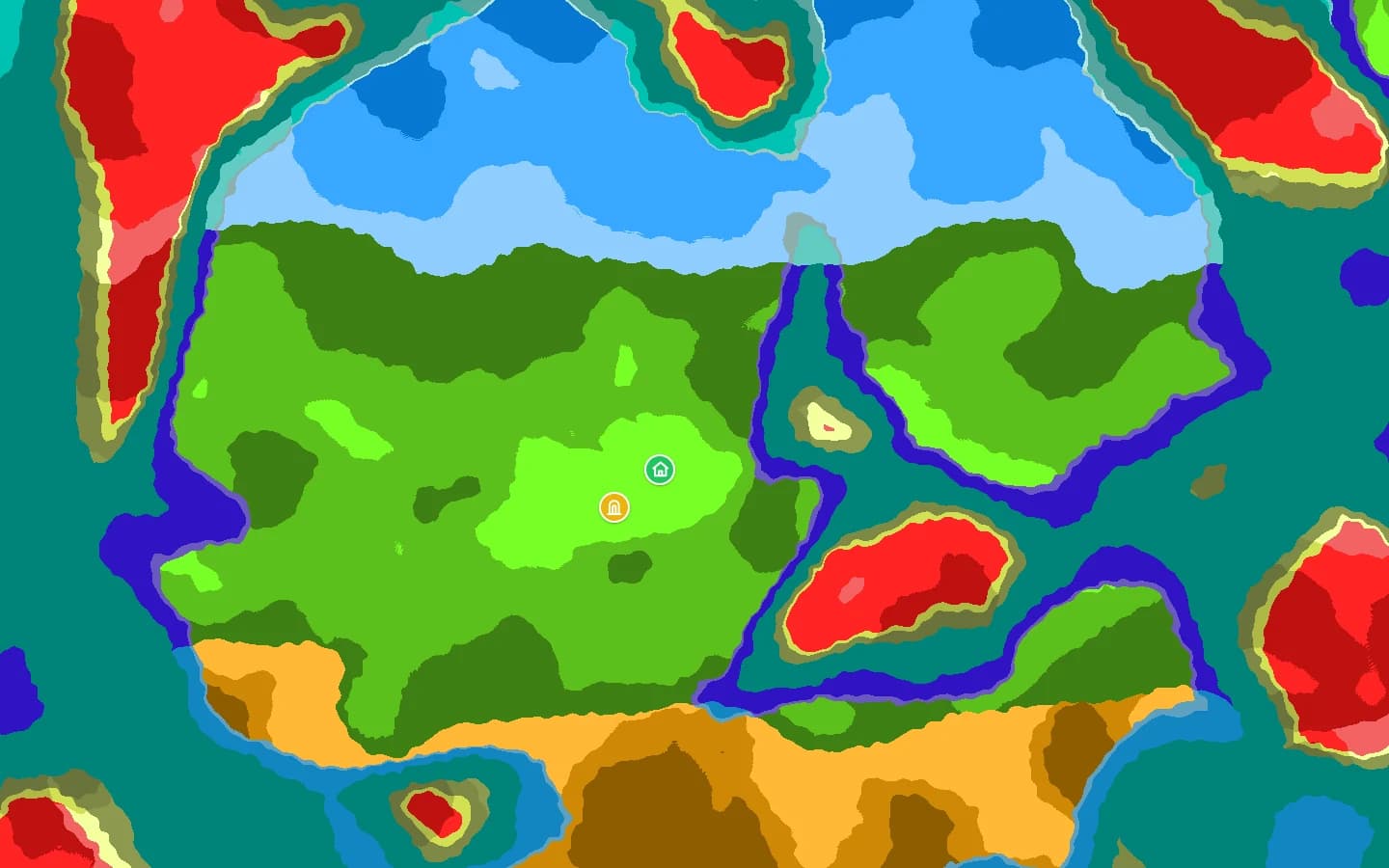
The four land zones in early access
| Zone | Role | What to expect |
|---|---|---|
| Zone 1Emerald Wilds | Start here | Temperate forests, plains, lakes and rivers. The spawn point and the unique temple portal are here. |
| Zone 2Howling Sands | First step out | Savannah, desert, dunes, oases and plateaus. Hotter, drier terrain than Zone 1. |
| Zone 3Whisperfrost Frontiers | Cold tier | Frozen forests, tundra, glaciers and outlander settlements. Cold, snowy terrain. |
| Zone 4Devastated Lands | Endgame tier | Ash, lava, volcanoes, canyons and underground jungles. The last numbered land zone in the versions covered here. |
The deep ocean is not a numbered land zone, but it is its own environment, with reefs, trenches, islands and underwater structures. The map shows it on both the zone and biome layers.
Find a zone on your seed
- Open the Hytale seed map with the right world seed and version.
- Switch the base layer to Zones and zoom out until the large regions show.
- Hover the map: the readout names the zone under your cursor.
- For Zone 4, look for the Devastated Lands and their volcanic colour. It is not always in the same compass direction; the seed decides where it lands.
- Once you find the border, zoom in and switch back to Biomes to see the terrain you will meet.
The finder searches biomes and structures, not zone names. For a zone, use the zone layer and the hover readout, then copy the coordinates or the ready-made /tp command from the map.
What about Zone 5 and Zone 6?
The versions this site covers have four numbered land zones plus the ocean. The map does not draw a Zone 5 or Zone 6 in any version covered here. Zone 4 does contain a deeper tier, and community guides and search suggestions may call that, or content from newer builds, “Zone 5”. Check which build a video or list uses.
When a new zone exists in the game and the map supports it, it will appear in the version selector and the zone layer. The map will not invent one before then.
Why zone borders look blurry
Zones fade into each other instead of ending on a hard line, and biomes blend near the border. On the map that looks like a band where the colours mix. It is the game blending the two sides, not a rendering error.
FAQ
- Is Zone 4 always in the same direction?
- No. It depends on the seed. The zone layer is the fastest way to see where it landed.
- Can I skip zones?
- You can walk into a higher zone, but higher zones are harder than the start area. Check the map before you travel.
- Where is the spawn zone?
- The world spawn is in Zone 1. The map marks the spawn point and the unique temple portal when the seed loads.